Native Google Vault and Purview Support

New
Getting a Google Vault or Microsoft Purview export into RedactBox used to mean unzipping it, picking out the mailboxes and leaving everything else behind. Now RedactBox reads both natively. Download what Vault or Purview gives you, drag it all in, and start redacting.
Drop in the whole export
Vault and Purview hand you an export as a handful of separate downloads. You no longer need to sort through them. Click Import an export, select everything you downloaded and drop it in, or upload a ZIP of the lot. RedactBox groups the files into exports and shows you what it found before anything uploads.
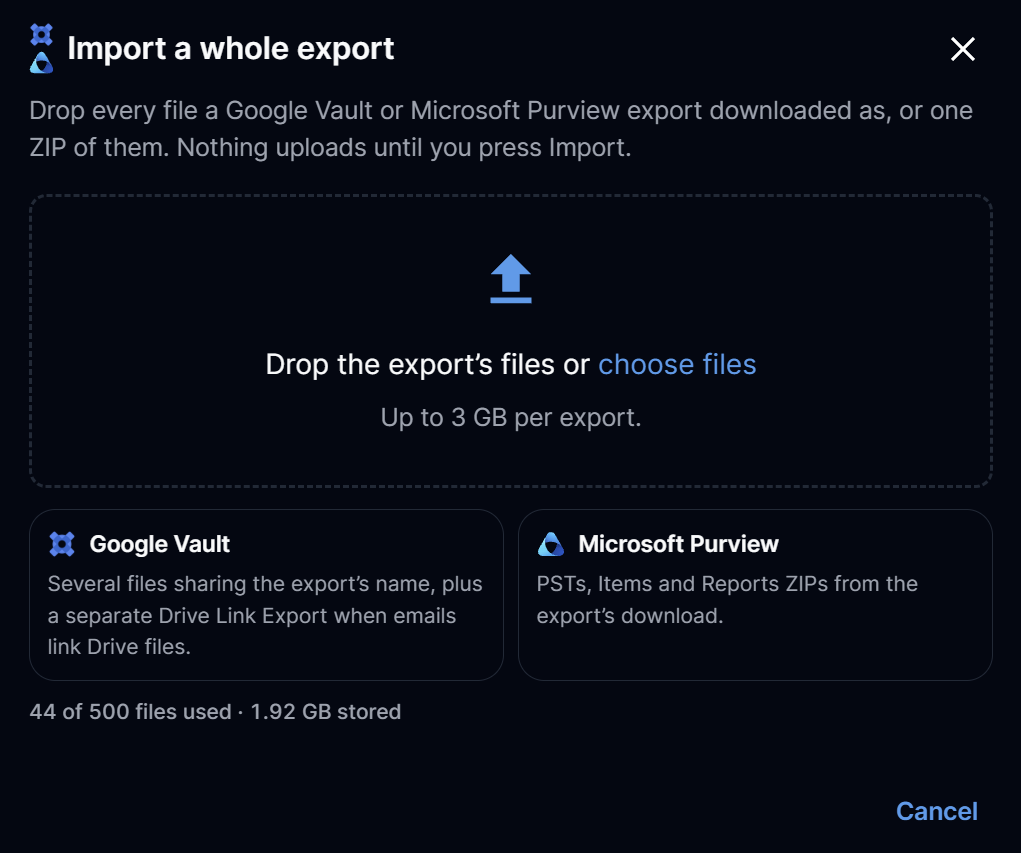
Google Vault. Gmail exports in MBOX format, with linked Drive files if you exported them.
Microsoft Purview. Standard eDiscovery exports with PSTs, plus the OneDrive and SharePoint files that come with them. You do not need eDiscovery (Premium).
Where it lands. Each mailbox becomes its own file in the project, named after its account, and the documents go to Documents, ready to review.
Why it is worth uploading every part
Only the mailboxes are essential, but the other files Vault and Purview give you are not just paperwork. RedactBox reads them to fill in details you would otherwise have to work out by hand. The import screen tells you what you would lose if a part is missing.
Whose mailbox is whose. Vault's result counts and Purview's reports confirm the account behind each mailbox, and the owner of each OneDrive or SharePoint file. Without them, owners are only read from file names and are not cross-checked, and loose Purview files have no owner.
Nothing quietly missing. The same reports say how many messages each account should have. RedactBox checks that against what it imported, so a gap shows up now rather than after you have sent the disclosure.
Drive files where you expect them. Vault's Drive links file says which email shared which document. Linked Drive files then sit under that email, marked Linked from Drive, just like an attachment, and are redacted and exported once. Vault's Drive metadata adds each file's author and title.
Gmail labels. Vault's metadata file brings each message's labels in as tags, so you can filter by them.
If an export does not say who owns something, RedactBox leaves it blank rather than guess.
Word, Excel, PowerPoint and images, not just PDFs
Exports are full of documents, so RedactBox now takes them too. Word, Excel, PowerPoint, RTF, text and image files are converted when they arrive and appear in Documents alongside your PDFs. Spreadsheets also open in the spreadsheet grid, so you can redact cell by cell and export a redacted .xlsx. This works for files you upload on their own as well as files inside an export.
Full guidance lives in our Knowledge Centre: https://help.redactbox.co.uk/en
As always, hit the feedback portal to tell us what is missing or what could be sharper: https://feedback.redactbox.co.uk/