Your New Dashboard — Every Project, Every Deadline, One Screen
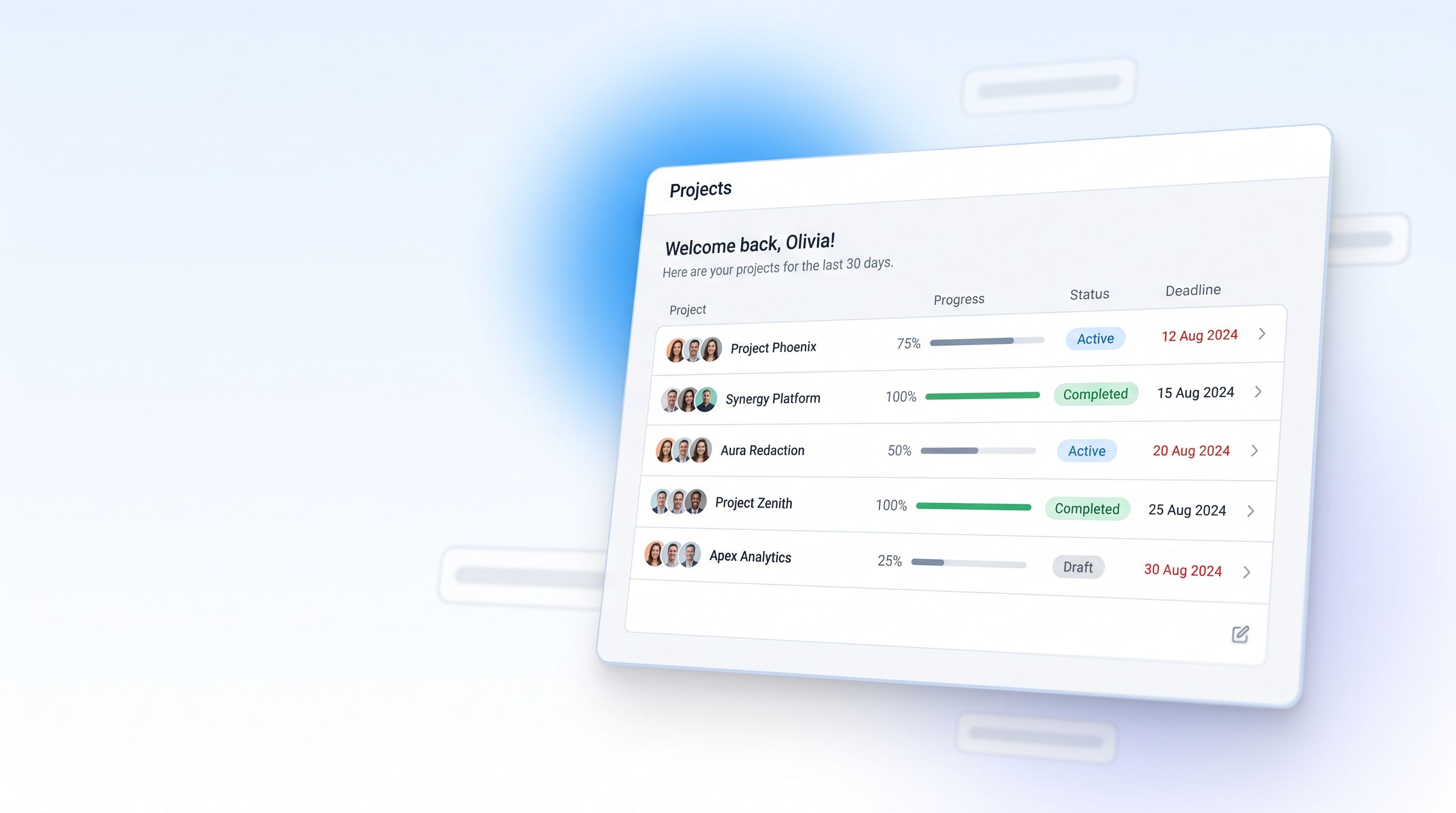
New
Open RedactBox and you now land on a dashboard rather than an empty console. Every project you own or have been given access to is on one screen, ordered by what is closest to its deadline, with enough of each project's state visible that you can decide where to start without opening anything.
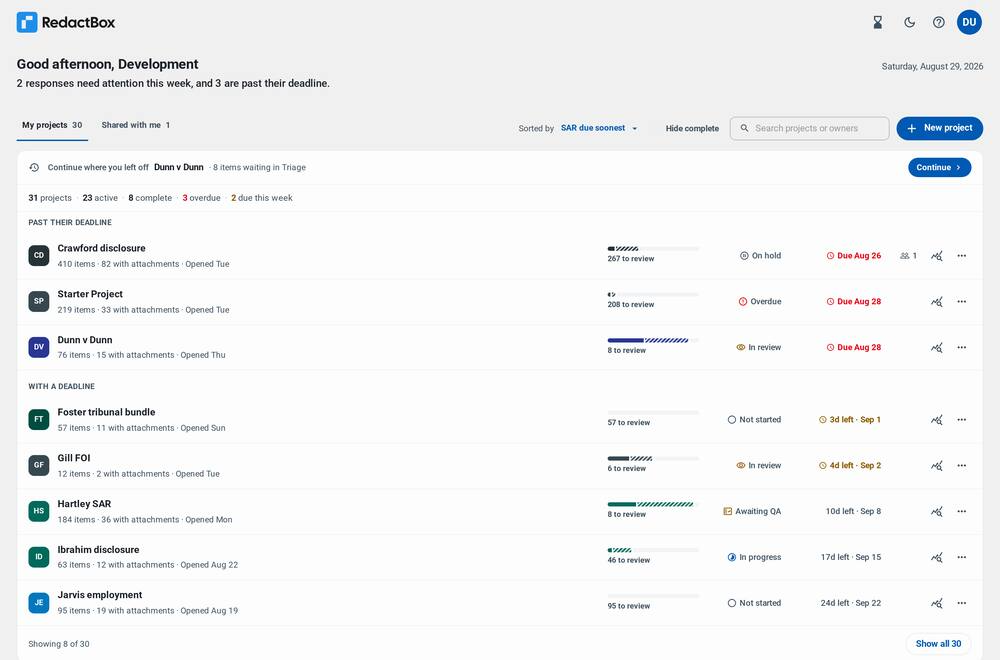
Your projects, on one screen
The old project menu was a dropdown that told you names and nothing else. The new home screen is a list you can actually read.
Each project shows how many items it holds, how many carry attachments, how far through the review you are, what its status is and when it is due. Overdue work is grouped at the top under its own heading, so the thing that needs you today is the first thing you see.
Pick up where you left off — a resume bar at the top of the list takes you straight back to the project you were last working in, and says what is waiting there.
See the shape of the week — a line under the greeting names how many responses need attention and how many are past their deadline.
Sort, search and filter — order by deadline, name or recent activity; hide everything already complete; search by project or owner name once you have enough projects for it to matter.
Set a status yourself — Not started, In progress, In review, Awaiting QA, On hold and Complete are all settable from the row. Leave it alone and the status follows your progress, as before.
Set a deadline from the list — the SAR or FOI due date is editable in place, and the countdown on the row updates with it.
Detailed statistics, per project
Every row carries a statistics button. It opens a breakdown of that project on its own: how many items have redactions, how many were reviewed with nothing to redact, how many are still waiting, and how the redactions were applied — by hand, by area, automatically, or in bulk across the archive.
The same figures are summarised across every project at the bottom of the dashboard, over the last 30 days, the last 12 months, or all time.
Sharing, from the dashboard
Projects shared with you sit under their own tab, labelled with who owns them. Projects you have shared show how many people are on them, and that count is a button — it opens the sharing dialog directly, so access is managed from the same screen as the work.
An export and access trail
A Recent activity panel lists what has actually happened across your projects: exports taken, redaction logs generated, access granted, changed or removed, and scope changes. It is a record you can hand to someone who asks what happened and when.
Background tasks, wherever you are
Exports, conversions and bulk redactions carry on after you leave the screen that started them. The tasks tray is now in the dashboard header too, so you can see a job running in one project while you work in another — previously you had to be inside a project to learn that a different project had finished.
Improved
Project links
A project now has a real address that survives being bookmarked, shared and opened later. Following a link to a project you do not have access to now explains itself, names the account you are signed in as, and offers to sign you in with a different one, instead of dropping you on an empty screen.
Getting started
The first-run screen no longer hides the rest of the dashboard. If a colleague has shared a project with you and it has not appeared, the screen says where shared projects turn up and which address you are signed in as — the usual reason for an invitation that seems to have gone missing.
Fixed
Collaboration emails — invitations, access changes and ownership transfers — now come from RedactBox rather than the exports address, and replies reach a monitored inbox.
Deadlines are the same calendar day in every timezone; a date set late in the day no longer saved as the day before.
The whole of a project row is clickable, and the row says which project it will open.
Project names that are very long, written in another script, or empty no longer break the row or the screen-reader labels built from them.
The project list holds its shape at thirty projects, and "Show all" reveals the rest without the page jumping.
A project stays visible when a status change would have re-sorted it out of view.
The logo no longer shifts position when you move between the dashboard and a project.
Full guidance lives in our Knowledge Centre: https://help.redactbox.co.uk/en
As always, hit the feedback portal to tell us what is missing or what could be sharper: https://feedback.redactbox.co.uk/