People and identifiers: decide once per person, redact everywhere

New
Most of a subject access request is about people: who is named, who has to stay in, and who needs blacking out in every document they appear in. Until now that meant searching for each name and redacting it wherever it turned up. This release lets you decide once per person, carries that decision across the project, and keeps a record you can show anyone who asks.
People and identifiers
Open a project, click Tools and choose People and identifiers. RedactBox lists everyone it found: senders and recipients, and names in quoted messages, sign-offs and addresses. Each person is one row, with the number of documents they are in and extracts showing how the name is used.
Decide once. Redact, Leave in or Skip, or press R, L or S. Redact covers the person in every approved document. Leave in asks for a reason, which goes on the record.
Several at once. Tick a group, such as the other pupils in a school SAR, and redact them in one run. One Undo takes the whole run back and leaves boxes you drew by hand alone.
New documents are covered. Approve more documents and the next scan picks them up by itself. Everyone you decided to redact is redacted in them too.
Must stay in. The requester, and anyone else you add in Request details, is never redacted.
Identifiers. Phone numbers, postcodes, NHS and National Insurance numbers, sort codes and card numbers, with one decision for each kind.
What gets redacted for a person
Their full name in its usual forms, every other spelling, every email address, and titles with their surname, such as "Dear Mrs Okonkwo".
A surname or first name on its own is not redacted, because it often belongs to someone else, such as a relative or a colleague. The tool tells you (Not redacted on their own: Okonkwo, Ngozi) and Find Okonkwo takes you to Search & Redact to deal with those by hand.
Titles get the same care. "Mrs Okonkwo" could be anyone with that surname, so a title is redacted only when everyone on the list with that surname is being redacted. Until then the tool shows Titles with Okonkwo held and says who is holding it back. Redact the last of them and the titles follow straight away.
Suggestions in the document you are reading
Open a document in Redact and a small panel in the top right lists the people and numbers found in it that are still to be decided. Redact here covers every spelling on the card in this document only. All approved makes the same decision across the project, and Keep records why a person stays in. Redact here marks the text itself, so the export covers every character, and it tells you when part of a value is not on the page.
Audit Logs, rebuilt
Audit Logs is now the project's record of what happened and why. Everyone you share the project with sees the same record.
Timeline. Every decision, redaction, export and sharing change, newest first, with who did it, the reason code and any note. Filter it by kind or search it.
Record. Where the project stands now: who is blacked out everywhere, who only in some documents, who was left in and why, and who is not yet decided. Below it, every redacted value with its reason.
Schedule of Redactions. The file for the requester: every redaction and its reason code, without the redacted text. It now goes inside every export ZIP (ticked by default), and Audit Logs downloads it for the whole project.
Owners and editors can also download the full audit log for their own file. It contains the redacted text, so never send it to a requester.
Improved
Tools open in place. Search & Redact, Word Lists, Duplicates, Redactions, Stats and Audit Logs open over your documents, one at a time, each at its own address, so Back and reload work as you expect.
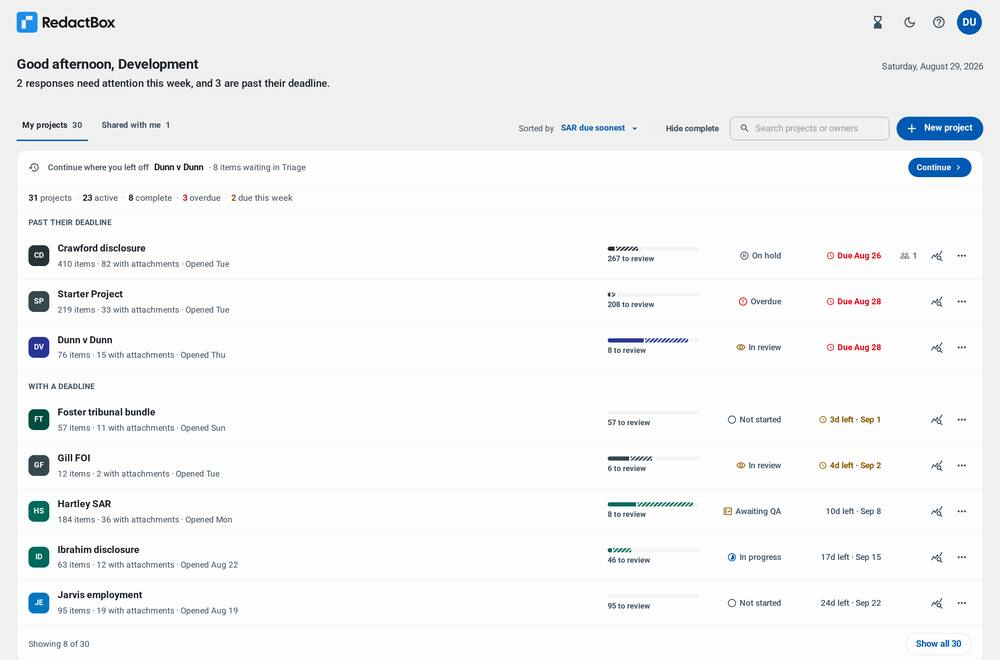
Pin to top. Pin the projects you are working in to the top of your dashboard from the project's menu. Anyone the project is shared with can pin it for themselves.
Exports say what they left out. If items you picked by hand are not in an export, it says how many and why, for example in the trash or not approved.
Cc on the PDF. Items imported from now on show who was copied in, so the PDF is a complete record of the message.
Boxes that cover the whole word. If a box placed over text stops short of it, the export now grows the box to cover every character.
Less of your data in our logs. Our service logs no longer record redacted text, search terms, names, email addresses or document text.
Fixes
In Search & Redact, a reason code picked just before you confirm is always saved with the redactions.
The NHS number pattern no longer picks up UK phone numbers, and the UK phone pattern no longer picks up reference numbers that contain a run of digits.
After a file uploads, its card counts the items as they are read and then says Ready, instead of sitting on "Processing in background".
Full guidance lives in our Knowledge Centre: https://help.redactbox.co.uk/en
As always, hit the feedback portal to tell us what is missing or what could be sharper: https://feedback.redactbox.co.uk/