Search & Redact — Rebuilt, with One-Click PII Patterns
New
Search & Redact is the most-used tool in RedactBox, so we've spent the last few weeks taking it apart and putting it back together. The result is a faster, more honest workspace for working through matches, plus a new Patterns mode that handles the most common PII categories with a single click.
A new two-pane workspace
The dialogue now splits into a result list on the left and a full match preview on the right. Click any row and the preview fills instantly with the snippets you already had on the row, then the rest of the matches stream in behind it — no more waiting on a blank pane.
Match N of M · In subject / body / from / to — every snippet now tells you which field it came from, so you know at a glance whether a hit is in the subject line, the body, or a recipient
Position scrubber — a small bar under each snippet shows roughly where in the document the match falls (Start ──●── End). Hover for a tooltip like "42% through — in the first half"
Cascading entry — new matches fade in subtly rather than appearing all at once
Recent searches — the recent-search chips actually work now. Your last queries are recorded and one-click re-runnable
Shift+click multi-select — pick a range of rows in one go to include or exclude in bulk
Skip individual matches — uncheck any snippet card to leave that single match alone; the count drops by one for that item, the rest still go through
Skip a value across the whole project — in Patterns mode, click any highlighted match in a snippet to skip every other instance of that exact value too. Perfect for whitelisting your own company domain when running an Email-addresses sweep, or excluding a known internal phone number

Common Patterns — one click for the usual suspects
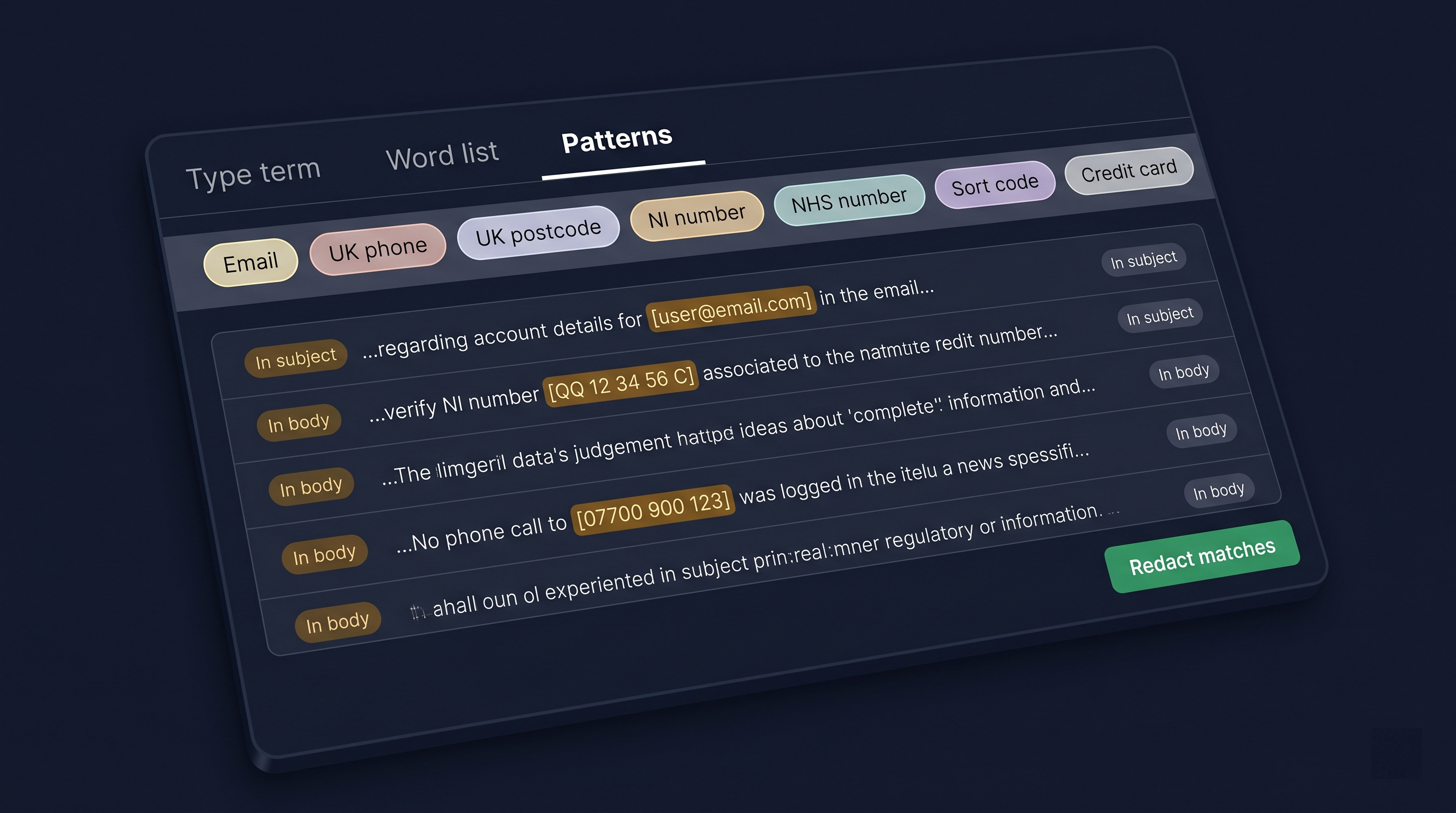
A new Patterns tab sits next to Type term and Word list. Pick a chip, and we run a project-wide search for that pattern. You review the matches and redact in one go. The same skip controls apply — uncheck individual snippets, exclude whole items, or click any highlighted match to skip every instance of that exact value project-wide.
Email addresses
UK phone numbers
UK postcodes
National Insurance numbers
NHS numbers
Sort codes
Credit card numbers (Luhn-validated to cut false positives)
A note on accuracy: these are heuristic searches. Credit cards are validated, but the others can produce false positives, so always review before redacting. We picked categories where a quick scan beats hunting term-by-term.

Per-term match flags on word lists
Word lists no longer treat every term the same. Each term in a list can now carry its own case-sensitive and whole-word flags. Add "Smith" as case-sensitive, and it won't redact "smith" or "blacksmith"; add an email domain as case-insensitive in the same list. The list also has its own defaults, so you don't have to set them per term.

Word-list drill-in
Click any term inside a word list, and you now drop into a read-only inspector scoped to just that term — same snippet layout, same field labels, same position bar. Useful when you want to sanity-check what a single entry is matching across a project before you commit to redacting it.

Project palette and Manage Projects
The old project dropdown has been replaced with a project palette (Ctrl/Cmd + K from anywhere in the console). Type a few characters to jump straight to a project or SAR — no more scrolling through a long menu.
Alongside it, a new Manage Projects page shows every project as a card with a three-segment progress heatmap (triaged, redacted, approved). Open it from the palette, and you can see at a glance which projects need attention.


Responsive sizing
The Search & Redact dialogue now scales with the viewport. Bigger monitors show more matches without scrolling (up to 1500 × 1300px); smaller screens still get a usable layout. No more cramped result lists on a 27" display.
Improved
Snippet rendering is significantly faster on large result sets — no more freeze on the loading bar when a search returns thousands of hits
Smoother pattern progress — the bulk progress bar updates in real time as pages are scanned, rather than jumping from 0% to 100% at the end
Field-source labels replace "Page N" — we'd been trialling per-page PDF text extraction to tell you which page a match was on. It turned out to be too costly and fragile for what it gave you back, so we pulled it. The new "Match N of M · In <field>" plus position bar tells you where a match is in a more useful way, with none of the extraction overhead
Faster Manage Projects load on accounts with lots of projects — counts now come back in a single query instead of one per project
Truncation warnings — if a pattern search hits the 200,000-match safety cap, we now warn you so you can narrow the scope and re-run rather than silently miss the remainder
Fixes
Pattern redactions no longer appear as solid red bars in the single-email preview — they render as the same purple overlay as word-list matches, and are only applied at export
Word-list bulks now honour each term's case-sensitive and whole-word flags at export time
Cross-project guard on word-list bulk redact — running a list against the wrong project is now blocked
Recent-search chips populate correctly from the last few searches in your session
All of the information above is also available in our Knowledge Centre!
https://help.redactbox.co.uk/en
As always, hit the feedback portal to tell us what's missing or what could be sharper.